

Why you watch boards
monday only reports changes board by board, so Fluid has to listen to each board you send from. A board can also have several status columns, such as Status and Priority. When you watch a board, you choose which one is its send column: the column whose Cowork label sends an item.Prepare a board in monday
On each board you want to send from:- Pick a status column to be the send column, or add a new one, for example Send to Fluid.
- Add a label named Cowork to that column.
- Optionally, add a long text column for the request. Its text becomes the ticket’s description.
Connect your monday account
1
Open Connectors
In the Fluid admin, open Cowork and click Connectors in the board’s toolbar.
2
Click Connect
In the monday section, click Connect. monday opens and asks you to approve Fluid’s access.
3
Approve in monday
Approve the request. You return to Connectors, and the monday section shows your account and name with a Connected badge.
The first time anyone in a monday account connects, monday may ask for the
Fluid Cowork app to be installed on that account. Installing apps needs a
monday admin.
Watch a board
1
Open the board list
In the monday section, click Watch a board. Your boards are listed, with boards that already have a Cowork label first, marked Ready. Use Search boards to find a board by name, and Load more boards to see more.
2
Choose the send column
Next to the board, choose its send column. On a Ready board, the column with the Cowork label is already chosen.
3
Click Watch
Click Watch. The board moves to Watched boards. If its send column has no Cowork label yet, a message tells you to add one in monday.

Search your boards. A board you already watch is marked Watched.
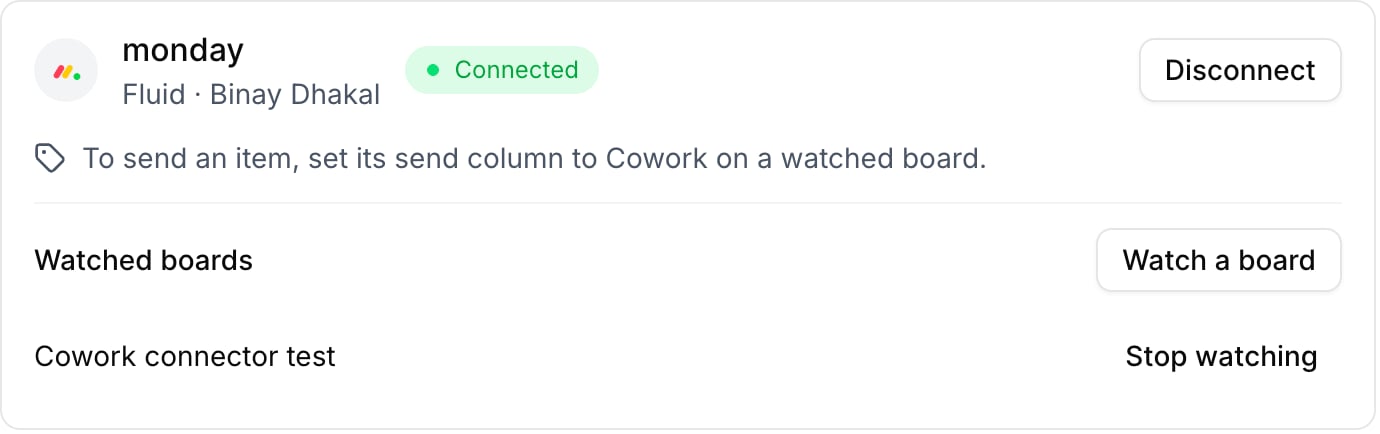
Your watched boards, each with Stop watching.
Send an item to Cowork
On a watched board, set an item’s send column to Cowork. Within about a minute, a Cowork ticket appears on your company’s board, created by you. It carries:- the item’s name as the title;
- the text of the item’s long text columns as the description, or a note linking to the item if it has none;
- the item’s board, group, and its status, date, timeline, people and dropdown values as details;
- a link back to the item in monday.
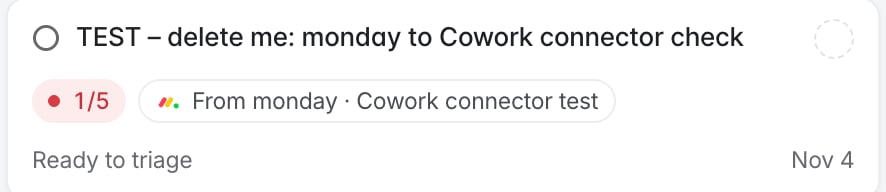
A ticket sent from monday.
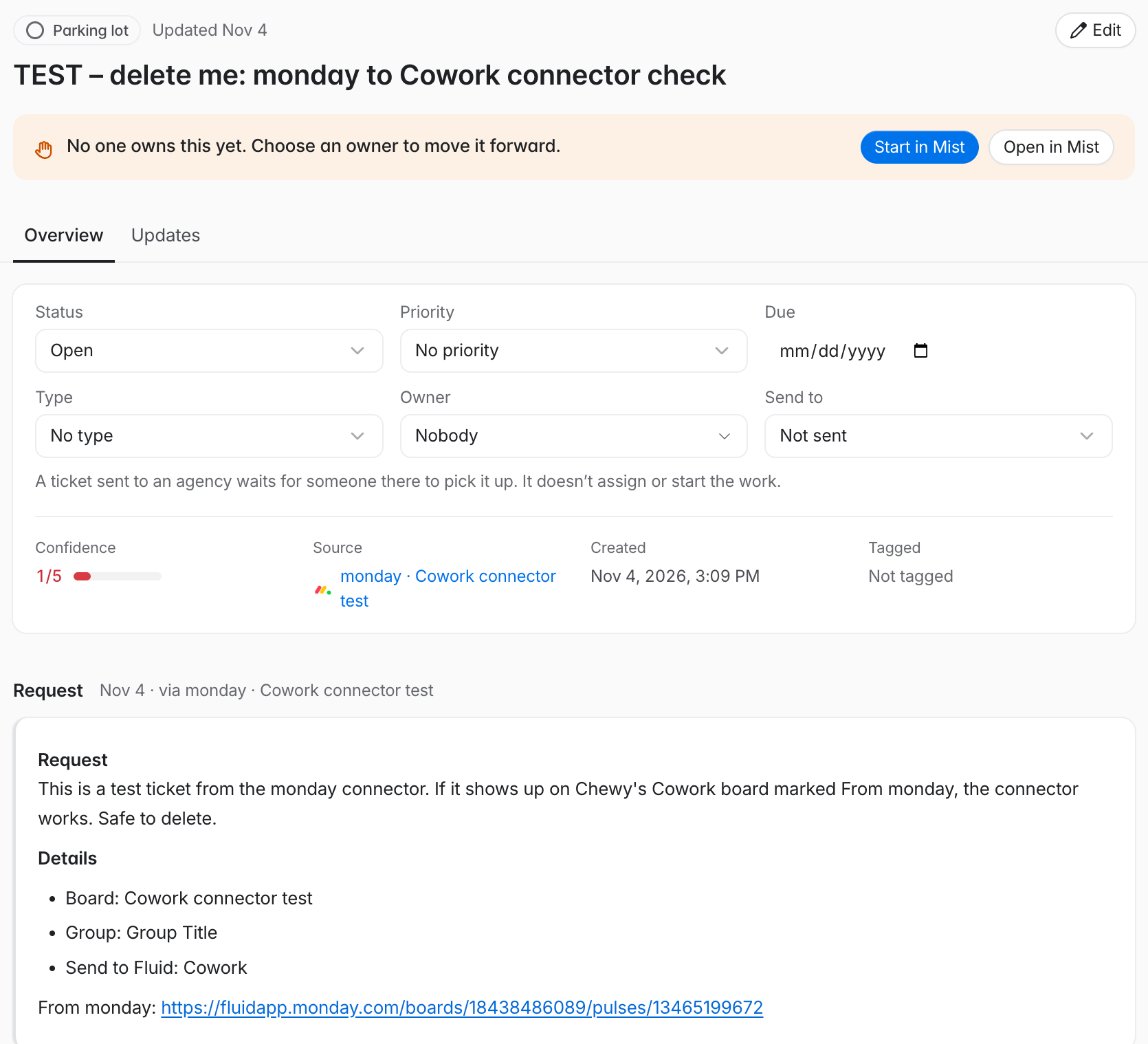
The ticket's Source and Request, with the link back to the monday item.
What isn’t copied
- Updates (monday’s comments) are never copied.
- Text, number, email, phone, link and other columns are left out, so values your company’s ticket readers aren’t meant to see stay in monday.
- Files stay in monday. The ticket names them and links to the item.
Stop watching or disconnect
- Stop watching: click Stop watching next to a board in Watched boards. Fluid stops listening to that board. Tickets already created stay in Cowork.
- Disconnect: click Disconnect in the monday section. Fluid also stops watching every board you watched, and items you send afterwards create nothing. Tickets already created stay in Cowork.